

TM 11-5895-1141-12
2-6
OPERATING PROCEDURE
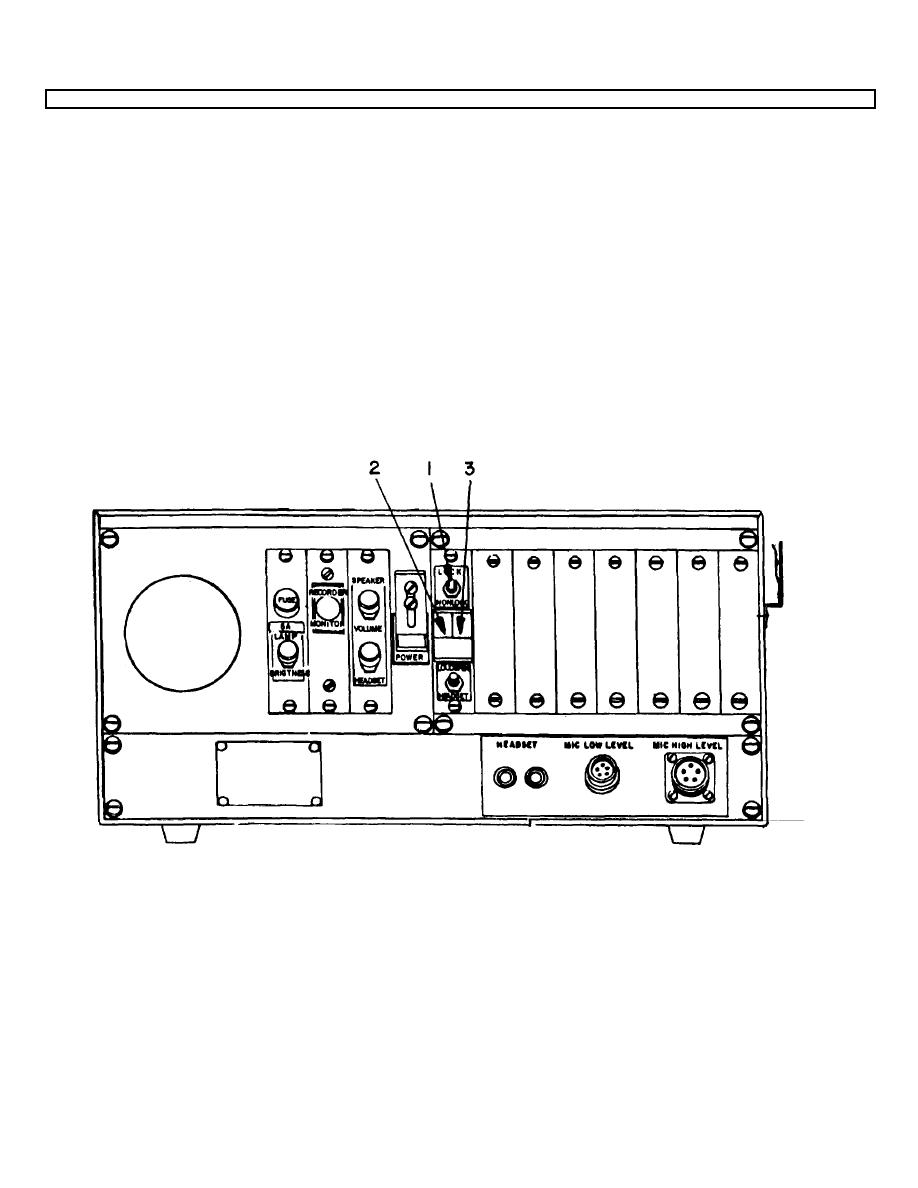
a. Set channel selector switch (1) to LOCK.
NOTE
Green indicator light of the display screen (2) will glow as channel is engaged.
b. Press the push-to-talk switch on the microphone or headset.
NOTE
Verify that the red indicator light portion of the display screen (3) glows as each selected channel is engaged.
c.
During transmission, received signals on the selected channels are silenced.
d. Observe that operator's voice is heard in the headphones at a reduced level (side tone) when keying of one or
more transmitters is taking place.
e. To temporarily select a channel not ordinarily used, hold channel selector switch (1) in NONLOCK position.
2-6
